Block Email by Country (GeoBlocking) Geo-Fencing
Block or allow email by country – 'GeoBlocking' allows you to restrict or allow email from specific destinations based on IP or Country…
The Spambrella ‘Core Protection’ module, part of our Email Threat Protection service (all service packages) provides the most powerful approach to detecting and eliminating spam and malicious payloads in any language. Spambrella also now includes a number of GeoBlocking filter features suitable for any business Internationally.
Immediate benefits to GeoBlocking
- Reduce the business threat landscape (threat vector)
- Totally eliminate unwanted email from any country
- Auto quarantine and check daily/weekly/monthly
Spambrella is a premium email security service for SMEs and Enterprise organizations. Our services allow Administrators to identify the country’s location of the inbound email domain-wide. GeoBlocking has become an essential feature for organizations of all sizes that wish to reduce geographic threat vectors to their organization.

With Spambrella’s extensive data reports, you can choose to allow or block inbound email by country name or IP address. GeoBlocking a country or blocking multiple countries with our Country IP Database could not be easier. You can also alert internal referees when an email from a particular geographic location is quarantined so it can be reviewed with trained eyes before quarantine release.
It’s known that most spam (particularly malware such as keyloggers) originates overseas (Estonia, Moldavia, China, Poland, etc.) By blocking destinations with Spambrella from most of the undeveloped world, I’ve successfully reduced spam by 95 percent in the past year!
The threat landscape has changed, and with it, so have our processes. Spambrella now provides corporations globally with the GeoBlocking tools they need to filter email traffic effectively.
According to the World Cybercrime Index, the top countries by cyber threat are:
Russia: Ranked first for the highest cybercrime threat level in the world Ukraine: Ranked second for cyber threat China: Ranked third for cyber threat United States: Ranked fourth for cyber threat Nigeria: Ranked fifth for cyber threat Romania: Ranked sixth for cyber threat
The index was created by surveying 92 cybercrime experts from around the world. It shows that a small number of countries pose the greatest cybercriminal threat. The index also highlights that some countries specialize in specific types of cyberthreats. For example, Nigeria is ranked first for online scams, while North Korea is ranked second for attacks and extortion.
Other countries at risk for cyber threats include Brazil and India.
The annual cost of cybercrime is skyrocketing to $10.5 trillion by 2025, forcing businesses to adopt new solutions like AI cybersecurity to combat rising fraud, zero-day threats, and an ever-expanding attack surface.
Spambrella can dynamically classify imposter emails. Preemptively identify and sandbox suspicious URLs and attachments. It leverages big-data analysis (25% of the world’s corporate email systems) to classify email accurately. All within a single service that connects with Microsoft 365 and Google Workspace.
Forrester‘s 2025 Predictions report outlines critical cybersecurity, risk, and privacy challenges on the horizon. Cybercrime costs are expected to cost $12 trillion by 2025, with regulators stepping up efforts to protect consumer data. Now is the time to invest in advanced GenAI Email Security with Spambrella.
Further Reading

Request a free trial

Get in touch

Anti-Phishing Service – GenAI URL Inspection
FAQ’s
Visit our fully searchable Knowledge Base for FAQ’s and detailed service information.
Frequently asked questions
What is GeoBlocking?
How does GeoBlocking help protect my email system?
How does the Block Email by Country feature work?
How can I review emails quarantined by GeoBlocking before releasing them?
How does Spambrella’s GeoBlocking differ from traditional spam filters?
Can GeoBlocking be customized to block specific regions within a country?
How can I integrate GeoBlocking with existing email security protocols?
Can I allow emails from specific countries while blocking others?
Related

Threat Protection

Phish Protection

Attachment Defense

Free 30 Day Trial
Some Of Our
Favourite Success Stories
We are a new Spambrella partner and we are deploying it to all of our customers using Office 365, Hosted Exchange, and Linux mail hosting customers. The management platform is quick to learn and effective and affordable. Our customers like it much better than previous spam filtering tools.

Latest Blog Posts

Securence Is Shutting Down: What Customers Need to Know — and Where to Go Next
If you rely on Securence for email filtering, hosted Exchange, or continuity services, it’s time to start planning your exit. Securence’s parent company, US Internet (USI), has confirmed…

AiTM Phishing: When MFA Is Not Enough for Microsoft 365
AiTM Phishing: How Attackers Bypass MFA and What You Need to Defend Against It Multi-factor authentication is one of the most widely recommended controls in enterprise security. Most…
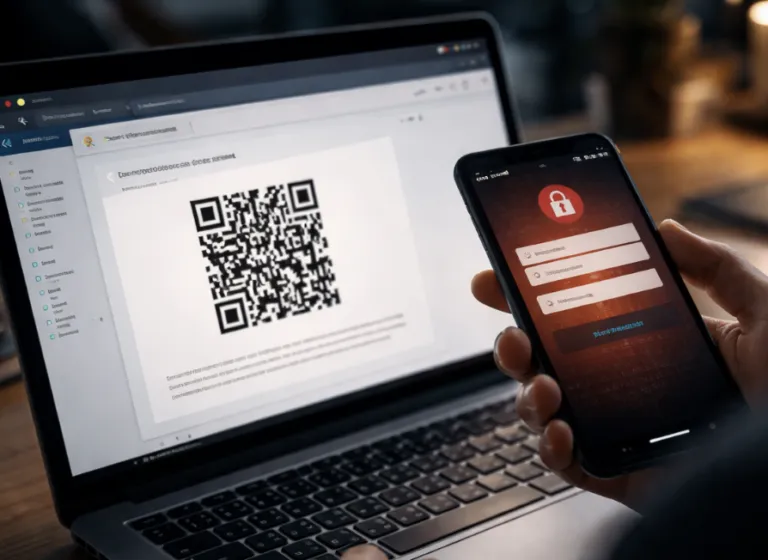
QR Code Phishing (Quishing): How It Bypasses Your Email Filters
There is a version of a phishing email that your gateway almost certainly cannot read. It arrives with a clean sender reputation, no suspicious links in the body,…
Get a quote…