Phishing
QR Code Phishing (Quishing): How It Bypasses Your Email Filters
There is a version of a phishing email that your gateway almost certainly cannot read. It arrives with a clean sender reputation, no suspicious links in the body, no malicious attachment to scan. Just an image – a small black-and-white square asking the recipient to scan it with their phone. By the time anyone realises what happened, the session cookie is already gone.
That is quishing. It has gone from a niche tactic to one of the fastest-growing attack methods in corporate email, and the fundamental reason it works is structural: most email security infrastructure was built around text and URLs. A QR code embedded in a PNG is neither.
What Is Quishing and Why Does It Matter Now?
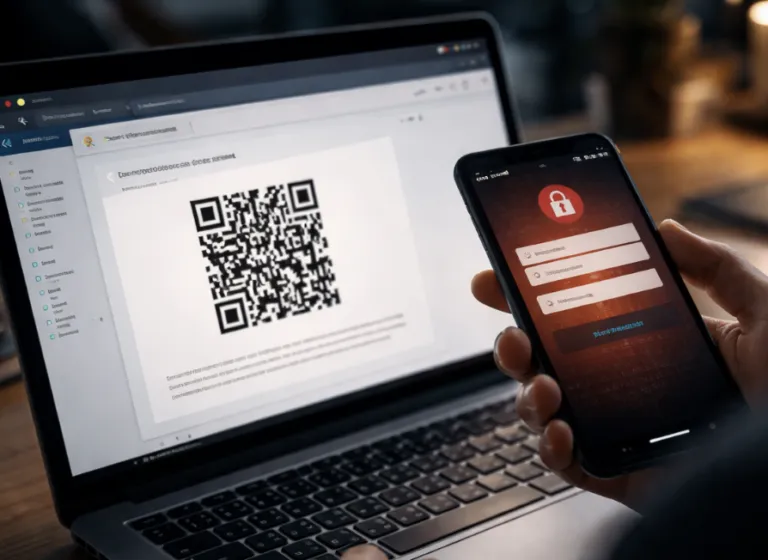
Quishing – the combination of “QR code” and “phishing” – is a social engineering attack where the malicious URL is encoded inside a QR code image rather than written as a clickable hyperlink. The recipient opens the email, sees a legitimate-looking request to verify their account or review a document, scans the code with their personal mobile phone, and gets redirected to a credential-harvesting page.
The scale of this problem is no longer theoretical. Over 4.2 million QR code phishing threats were identified in the first half of 2025 alone. QR-based attacks represented 12% of all phishing attempts that year. Between August and November 2025, the volume of quishing emails surged from roughly 47,000 per month to over 249,000. That is not organic growth – that is deliberate adoption by threat actors who have worked out that the technique genuinely defeats most legacy controls.
For organisations running a standard secure email gateway without specific image-analysis capabilities, quishing emails are functionally invisible. The gateway scans the message, finds no malicious URL, and delivers it.
How a Quishing Attack Works Step by Step
Understanding the mechanics helps explain both why it succeeds and what actually stops it.
Stage one – crafting the lure
The attacker generates a QR code that encodes a URL pointing to a phishing page. That page typically mimics a Microsoft 365 login, a DocuSign request, an Adobe PDF viewer, or a corporate MFA prompt. The QR code is embedded in an email as an image – usually inside a PDF attachment or directly in the body – surrounded by context designed to make scanning feel necessary and normal.
Common lure types include: “Your MFA authentication has expired – scan to re-verify”, “Your file share is ready – scan to access”, or “Your invoice is attached – scan to review and approve.” The language is deliberately routine. Nothing about the email triggers the psychological alarms that a badly worded phishing attempt would.
Stage two – the scan happens on mobile
This is the key bypass. When the recipient scans the code using their phone camera, the entire interaction moves from a corporate device – with endpoint protection, proxy filtering, and monitored network traffic – to a personal mobile that may have none of those controls. The URL is opened in a mobile browser. The phishing page loads. Credentials and session cookies are captured.
The email gateway never saw a URL. The corporate network never saw the redirect. The endpoint detection on the laptop was never involved.
Stage three – session theft and account takeover
Quishing campaigns are frequently chained with adversary-in-the-middle techniques. The phishing page acts as a proxy, capturing not just the password but the authenticated session token – meaning even users protected by standard MFA codes can have their accounts compromised. Once the attacker holds a valid session cookie, they can access email, SharePoint, OneDrive, and connected SaaS applications without triggering a new authentication prompt.
The Sectors Being Hit Hardest
Energy companies receive 29% of all malware-linked quishing emails – the highest share of any industry. Healthcare and financial services follow closely, partly because of the high volume of legitimate document flows (invoices, lab reports, compliance notifications) that make QR-laced emails plausible. Executives face disproportionate targeting: in 2025, C-level employees were roughly 40 times more likely to receive a QR code phishing attempt than the average employee.
Real estate, legal services, and professional services firms are also heavily targeted – industries where DocuSign workflows and external document sharing are so embedded in daily practice that a QR code prompting a document review barely registers as unusual.
Why Most Email Gateways Miss Quishing Attacks
The problem is architectural. Standard email security tools perform URL extraction, reputation lookups, link rewriting, and sandbox detonation of attachments. They look for text-based indicators of compromise. A QR code image does not expose a URL in any format these systems can inspect by default.
Some older gateways do not render image attachments at all. Others extract embedded images but do not attempt to decode QR patterns within them. Even tools that do decode QR codes may not follow the extracted URL into a sandbox environment, or may lack the computer vision models needed to distinguish a legitimate QR from a malicious one embedded in a professionally designed email template.
The result is a consistent blind spot across a significant portion of deployed email security infrastructure – and threat actors have thoroughly mapped it.
Advanced quishing variants complicate detection further. Analysts have identified “nested QR codes” where a malicious outer code is embedded around a legitimate inner code pointing to Google, creating ambiguity in automated scanners. Split QR codes, where the pattern is spread across multiple image segments that only decode when assembled by the recipient’s device, have also appeared in active campaigns. Each iteration is a direct response to detection logic being improved.
What Effective Quishing Protection Actually Looks Like
Stopping quishing requires capabilities that go beyond traditional URL filtering. The relevant controls operate at the image level, not the link level.
Multimodal AI scanning at the gateway
The strongest mitigation currently available is an email security platform that applies computer vision and optical character recognition to every message – including image-based content. This means the gateway renders attached images, identifies QR code patterns within them, decodes the embedded URL, and runs that URL through the same reputation and sandboxing pipeline used for text-based links.
The Spambrella anti-phishing service with GenAI URL inspection applies multi-layer analysis that includes link destination behaviour – meaning that even when a malicious URL arrives wrapped inside an image, the underlying destination is still evaluated before delivery.
Security awareness training that covers QR-specific risks
Technology catches a lot, but not everything. Employees who understand quishing mechanics are a meaningful last line of defence. Specifically, they need to know that QR codes in unexpected emails should be treated with exactly the same scepticism as suspicious links – that scanning a code with a personal phone does not make it safer, and that a request to scan to authenticate is itself a red flag for most corporate systems.
Structured security awareness training that includes QR-specific simulation scenarios gives organisations a measurable way to test and reduce employee susceptibility. Research suggests that targeted training can improve QR phishing detection rates by over 85% within three months – which is a meaningful reduction in the exposure window for any organisation running quishing simulations.
Conditional access and device-based controls
Since quishing specifically targets the mobile scan interaction, enforcing conditional access policies that require managed and compliant devices for Microsoft 365 and other SaaS access reduces the damage even if a credential is captured. An attacker holding a session token from a personal mobile scan will hit a compliant-device policy and find the cookie insufficient for access.
The Commercial Risk Is Real
The average business loss from a successful quishing incident now exceeds $1 million when breach response, credential rotation, and operational disruption costs are included. For organisations processing high volumes of external documents – procurement, legal, finance, logistics – the surface area is significant and growing.
The answer is not to stop using QR codes; they are embedded in too many legitimate workflows. The answer is to close the gap in the security stack that treats an image as inert. A QR code that arrives by email is a URL in a different format. It deserves the same scrutiny.
If you are not certain whether your current email security deployment decodes and analyses QR codes before delivery, that uncertainty is itself an answer worth acting on.
Further Reading

OAuth Phishing: When the Login Page You Trust Is the Attack

Email Threat Protection: Stop Phishing, Malware & BEC Before They Reach Your Inbox

Secure Email Services – Critical to business in the modern age
Get Started with Spambrella
Protect your business email with enterprise-class filtering, continuity, and archiving.

Latest Blog Posts

Securence Is Shutting Down: What Customers Need to Know — and Where to Go Next
If you rely on Securence for email filtering, hosted Exchange, or continuity services, it’s time to start planning your exit. Securence’s parent company, US Internet (USI), has confirmed…

AiTM Phishing: When MFA Is Not Enough for Microsoft 365
AiTM Phishing: How Attackers Bypass MFA and What You Need to Defend Against It Multi-factor authentication is one of the most widely recommended controls in enterprise security. Most…
QR Code Phishing (Quishing): How It Bypasses Your Email Filters
There is a version of a phishing email that your gateway almost certainly cannot read. It arrives with a clean sender reputation, no suspicious links in the body,…
Get a quote…