

Email Continuity
How can you test email continuity without disrupting customer mail?
At 09:10 on a Monday, a customer rings to move a delivery from the morning to the afternoon. Your dispatcher says they never received the email. Outlook is unavailable, the usual administrator is on leave and the driver needs an answer. Could the dispatcher find the request, acknowledge it and leave a record for the next shift? A UK business can test that question in two stages: rehearse the decision with staff, then prove the mail journey on an isolated test domain. Here is how to run both stages and recognise a useful result.
Decide what the business needs to keep doing
Start with the person who would take that call. Ask which incoming messages have a deadline, who can act on them and what happens if two people respond independently. A manufacturer might choose delivery amendments. An accountancy practice might choose appointment changes during filing season. Pick one transaction whose completion someone outside IT can recognise. “The dispatcher confirmed the revised delivery window with the customer” gives the exercise a clearer finish than “webmail was available”.
Write down an acceptable response time before the exercise. Let the operational team choose it from the promised service and the consequences of a delay. If a driver leaves at ten, the latest useful acknowledgement may be considerably earlier. Record who has authority to agree a change and what that person needs to see. An inbox can deliver the request perfectly while the only person allowed to approve it is still waiting for a manager to call back.
Distinguish an Outlook problem from a delivery problem
An employee who cannot open Outlook and a gateway that cannot deliver mail may describe both events as “email is down”. They give the exercise different starting points. Spambrella’s Emergency Inbox guide explains that incoming messages appear there when delivery to the destination is interrupted. A message already delivered to the normal mailbox before the interruption will not appear in the Emergency Inbox. An empty emergency view on a healthy delivery route is therefore an expected observation.
Build that distinction into the help desk script. In the scenario, IT checks delivery evidence while operations checks whether colleagues can open their usual mailboxes. Give the two observations to the person coordinating the response. If the gateway is still delivering, investigate user access and use the customer callback procedure where necessary. If mail is queuing for the affected destination, explain which staff should use the alternative inbox and how they will hear when normal working resumes.
Rehearse the handover with ordinary user access
Give the dispatcher a clean starting point: their usual work device, their own account and the information available at the start of a normal shift. Ask them to find the approved portal address without using a link in their work email. Watch where they look. A bookmarked portal on an administrator’s laptop does little for the person covering dispatch on a different machine. If the instructions live in a shared drive, establish whether that drive is available under the outage assumed in the exercise.
Bring in a colleague to cover the second half of the shift. Ask the first dispatcher to hand over the fictional customer request, its status and the name of the person responsible. Where would the second dispatcher look before sending a second acknowledgement? Use a record both can access under the conditions being tested. Include a reference and the next action. Use invented names and order numbers throughout so that the team can share the exercise notes afterwards.
The NCSC’s supply chain exercise brings together operational decision-makers, technical staff and communications staff. That mix works well here. The administrator can explain the mail route, the dispatcher can judge whether the workaround fits the shift, and a manager can agree an alternative when someone is unavailable. Ask one observer to record delays and their causes rather than coaching participants through each step.
Prove the mail journey on a test domain
A discussion can uncover a missing phone number. A controlled delivery test answers a different question: can a new message reach the intended user during an interruption, and can the user reply? Agree a dedicated test domain, test mailboxes, an external sender you control and a recovery procedure with the administrator or MSP. Have the administrator confirm which destination the exercise affects and who can restore it. Keep customer mail flowing normally while the test is under way.
Send a baseline message while normal delivery is available. Give it a unique subject, record when it was sent and confirm where it arrived. Next, have the administrator simulate a temporary interruption on the agreed test route using the provider’s documented procedure. Send a second, differently labelled message after the interruption takes effect. Ask the test user to locate that message in the Emergency Inbox, read the fictional change of delivery window and reply to the external sender with the revised time.
Keep evidence from both ends. The sender records the acknowledgement they actually received. The test user records the subject and time visible in the alternative inbox. IT records the corresponding delivery events. If a step fails, note the last successful observation. A user who reached the portal but opened the wrong account needs a different fix from a sender whose message never reached the gateway. An MSP can give the customer that distinction without copying message bodies into the service report.
Check what happens when normal delivery returns
Restore the test route and follow the outstanding message into the normal mail system. Spambrella describes a recovery process in which queued messages are retried and the Emergency Inbox clears. Give the dispatcher the reference from the exercise and ask them to find the conversation in their normal working environment. Check whether the next shift can tell that the customer has already received an answer. Record any extra step needed to reconcile the conversation with the dispatch record.
Note three times separately: when the fault was recognised, when the customer received the acknowledgement and when the normal mailbox received the queued message. A single “recovered at” time can conceal a long wait for staff instructions. In your review, give each delay to the person who can change it. The service desk can improve how it announces the switch, while the operations manager can name a deputy for approving schedule changes.
Use the result in a trial or supplier review
Ask the supplier to demonstrate any feature your exercise depends on, using the same type of account your staff will use. Include shared addresses, sign-in dependencies and handover arrangements in the discussion if they matter to your workflow. Mark anything outside the test’s scope as an open question. A successful trial with an individual test mailbox gives you evidence about that mailbox. It leaves room for a separate test of a shared dispatch address.
Spambrella’s Email Continuity Service includes spooling and an Emergency Inbox. For background, read why businesses need an email continuity strategy. When comparing service packages, bring the record of one complete customer transaction to the conversation. It tells the supplier exactly which account, message journey and handover you need to support. Finish by assigning one improvement, a named owner and a date to repeat the failed step with the person who will actually do the job.
Further Reading

Email Continuity Service

How does Spambrella ensure email continuity during server downtime?

How do you verify an email archive migration before retiring the old system?
Get Started with Spambrella
Protect your business email with enterprise-class filtering, continuity, and archiving.

Latest Blog Posts
Spambrella joins Anthropic’s Cyber Verification Program
Spambrella has been accepted into Anthropic’s Cyber Verification Program, which lets vetted security organisations use Claude for defensive work its cyber safeguards block by default.
A supplier says their bank details have changed. How do we check before the payment run?
A supplier emails new bank details days before your payment run. Here is how to spot payment-redirection fraud, which email security controls help, and the checks finance should…
What is prompt injection, and can we build defences?
An IT manager asks an AI assistant to summarise a supplier’s email before a change meeting. The summary says the supplier has approval to go ahead. The manager…
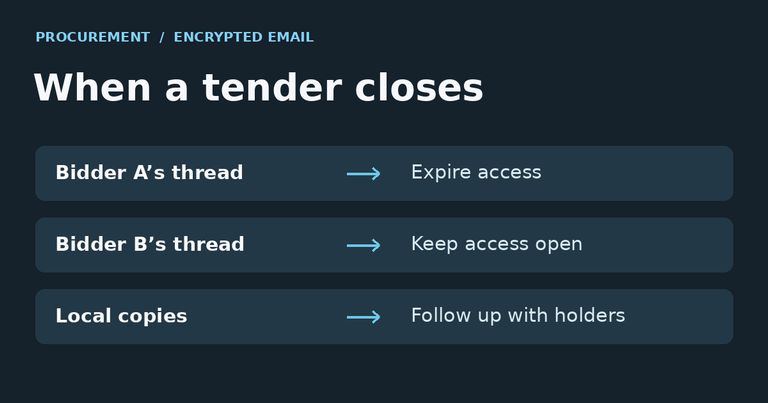
Can we withdraw a bidder’s access to an encrypted tender email?
At ten on Monday morning your surveyor tells you that a different contractor has won the job. The unsuccessful bidder already has an encrypted email with the site…
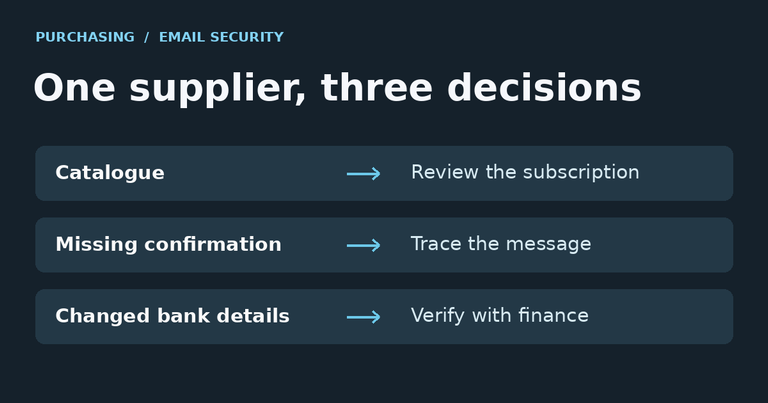
How can we keep newsletters out of a shared inbox without missing supplier orders?
A supplier sends its winter catalogue and your order confirmation to the same purchasing inbox. The catalogue can wait until Friday. The confirmation gives you until noon to…

How do you verify an email archive migration before retiring the old system?
The old archive contains 14 copies of a supplier’s quotation. The new archive returns one. Has the migration lost 13 records, or has it correctly stored one message…
UK phishing detections climb as familiar senders test email defences
A finance team asks IT to let a supplier’s signing requests through after a contract gets stuck in quarantine. Months later, who remembers why the exception exists? Two…

After Securence: How to check your email migration
If you rely on Securence for email filtering, hosted Exchange, or continuity services, it’s time to start planning your exit. Securence’s parent company, US Internet (USI), has confirmed…
Get a quote…