This article explains the steps to get started with Security Awareness Training as an Administrator. You should have now received a Welcome email to access the Spambrella portal. If you have not received this, please contact your Spambrella representative or support@spambrella.com. You will then be re-sent a Welcome email.
Once you have accessed the platform the first time, navigate to ‘Administration’ and click Account Management > Domains – You will now be able to add any additional domains associated to the business (your primary domain would have already been added but you will still need to verify it).
- Click New Domain
- Enter the Domain name
Verify your domains
Click your domain to present the verification methods as shown below.
Pick a verification method:– Domain verification
– Verify domain meta tag
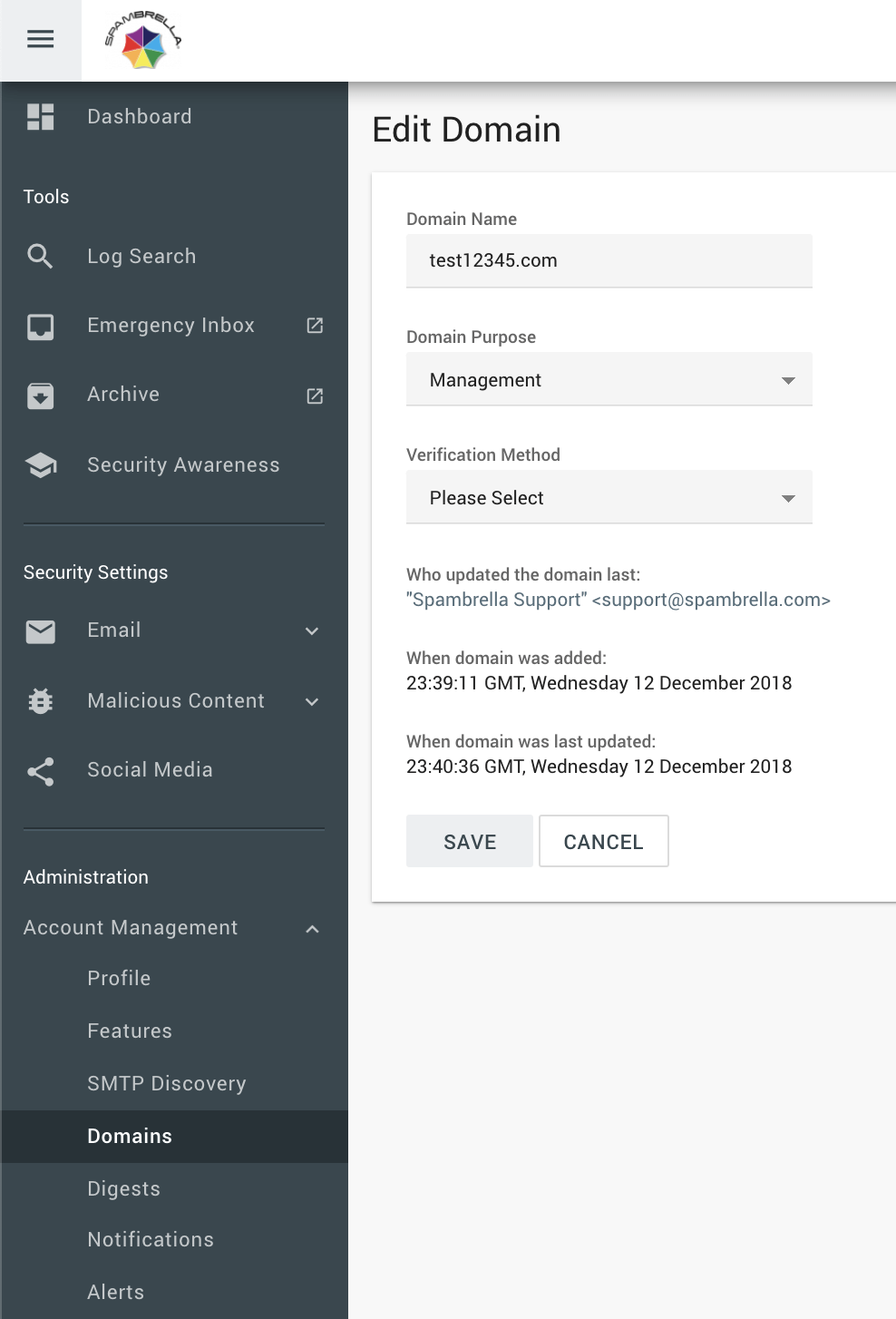
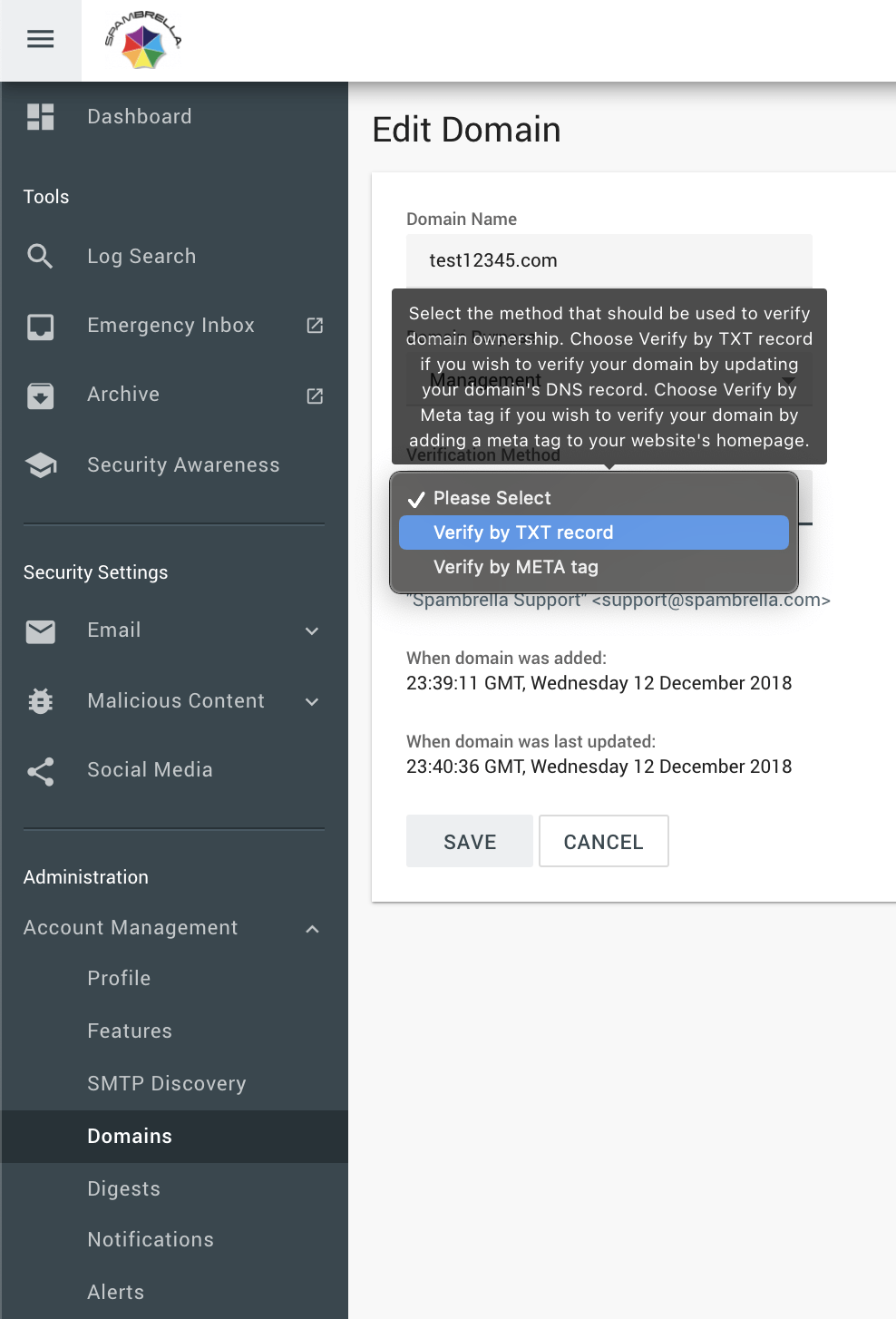
- Click Verify Later if you need to wait for DNS propagation for TXT record or META tag to get added. This will save the settings with verification codes.- If ready you may use Verify Now. (Once META tag is added to website or TXT record is ready)
- If Verify Later was used come back to Domain settings when DNS has propagated
- Once DNS has propagated for TXT record Click Verify Now
Important Note: Remember that changes here take place every half hour. (Top and bottom of the hour) – Once the service has syncronized after the domain is verified you will then see ‘Security Awareness’ as a button to the left menu.
Please now move onto step 2…