
Email Security
How can we keep newsletters out of a shared inbox without missing supplier orders?
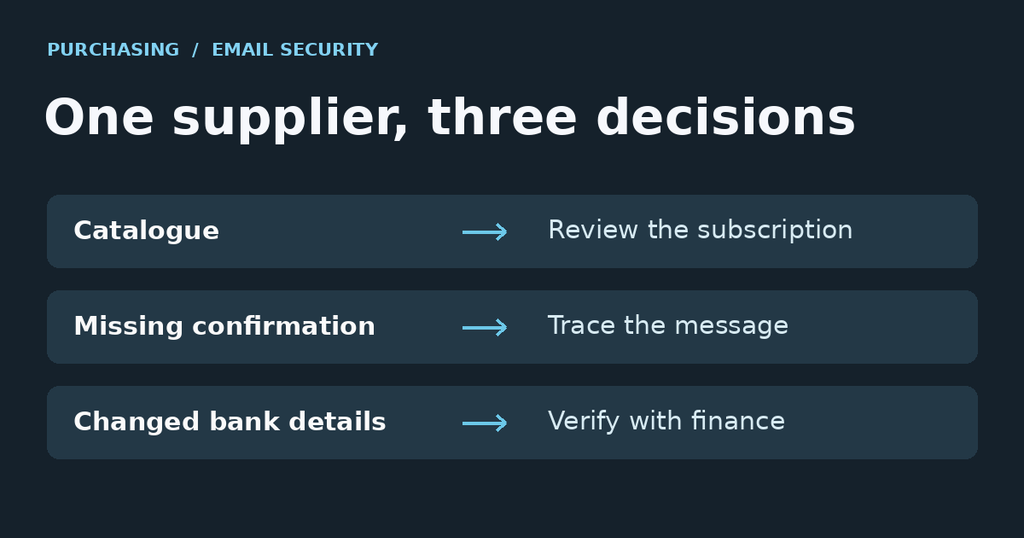
A supplier sends its winter catalogue and your order confirmation to the same purchasing inbox. The catalogue can wait until Friday. The confirmation gives you until noon to change a delivery address. How do you keep newsletters out of the team’s way without holding up the orders? Start with one shared mailbox, separate the supplier’s different types of mail, and use Spambrella’s message logs to check what happened to an expected delivery before changing how future messages are handled.
Ask the people who cover the inbox what they can afford to miss
Sit with the person who covers purchasing on a Monday morning. Ask them to show you a newsletter they routinely delete, a message they must act on the same day and a bulk mailing they actually need. A product withdrawal notice might go to every stockist at once. It can look much like a promotional bulletin, yet the warehouse may need that notice before it dispatches another order. Write down who makes that judgement when the usual buyer is away.
Give the pilot a boundary that the team can recognise. For example, use the purchasing mailbox at one branch and include a full ordering cycle. Record the current filtering settings, who can review quarantined mail for that address and which colleague can restore the previous settings. If the available setting would affect the whole organisation, leave it in place and test the supplier’s subscription preferences first. A busy department should never discover by accident that it was part of the trial.
Find out whether the supplier separates newsletters from order mail
Pick a genuine catalogue and a genuine dispatch confirmation from the same supplier. Compare the full sending addresses. Then check the communication preferences in the supplier portal using your usual bookmark. Some suppliers let you send newsletters to a named buyer while keeping delivery notices at the shared address. Take that option where it fits. The warehouse can keep its route to purchasing, and the colleague who actually reads the catalogue can still receive it.
A useful question for the supplier is “If we switch off promotions for this address, which messages will it still receive?” Ask specifically about back orders, recalls and changes to delivery slots. Google’s guidance on subscription email recommends separate sending addresses for subscriptions and transactional mail sent to personal Gmail accounts. That distinction gives buyers a precise question to ask. Your own supplier may use one address for both, so confirm its practice with a real pair of messages.
Follow one missing confirmation through Spambrella
Suppose the branch has placed an order and the acknowledgement has not arrived. Get the destination address from the order, the time it was submitted and the sender the supplier normally uses. Search inbound mail for that recipient over the relevant period. A buyer who ordered through a second branch may have supplied a different address. Searching the one printed on the order can resolve the incident without touching a filtering rule.
Read the status before taking action. A quarantined message gives the reviewer an item to assess. A message queued for delivery calls for a delivery investigation. If the destination rejected it, the receiving mail administrator needs the bounce details. Keep the order reference and the relevant log entry together so the next person can pick up the enquiry. Spambrella documents the status meanings and recipient search options in Viewing Logged Messages.
If there is no matching entry, ask the supplier to confirm whether its system generated the acknowledgement and which address it used. Check the time zone on both sides, particularly for orders placed with overseas suppliers. Include any alternative sending address the supplier identifies in a second search. Keep the case open until someone can account for the message or the supplier provides the confirmation through an established channel.
Release the individual message when that is all the buyer needs
For a genuine, expected acknowledgement held in quarantine, an authorised reviewer can use a one-off release. Spambrella distinguishes that action from approving the sender, which creates an ongoing allow rule for that sender and recipient. If the same address distributes the catalogue, a standing approval also changes how future mail from that address is treated. Record which action the reviewer took. The difference matters when another buyer asks next week why a catalogue appeared again. See Spambrella’s quarantine actions guide.
A request to release an invoice deserves a separate business check if it introduces new bank details. Use the supplier contact already held by finance to confirm the change. Being able to trace a message through the gateway answers a delivery question. Authority to amend the supplier record belongs with the finance team’s existing approval process. Give the service desk a contact for each decision so the buyer can resolve both without forwarding the invoice around the business.
Measure the effect on the people doing the ordering
At the start of the pilot, ask the buyer to tally the unwanted newsletters reaching the shared inbox per working day. Separately, list expected operational messages against the orders or events that should generate them. At review time, record how many arrived before the buyer’s deadline, how many needed a release and how many are still unaccounted for. Use the same mailbox and comparable ordering days before and after the change. Keep the underlying counts alongside any percentages, especially for a branch that only places a handful of orders each week.
Agree what would make the team stop the pilot. One missed recall may matter more than clearing dozens of catalogues. Include a colleague on holiday cover in the review and ask them to locate a known acknowledgement from the sample. If only the regular buyer knows who checks quarantine, the trial has exposed a handover problem. Put the review contact and the escalation route in the purchasing procedure before expanding the change to another branch.
Keep a short decision record for each supplier the pilot covers. A useful entry might read “Purchasing kept dispatch alerts at the shared address and moved the monthly catalogue to the category buyer. Jo checked the next dispatch and confirmed receipt.” That gives holiday cover a person to contact and an event to look for. It also saves the next administrator from reopening the original ticket to work out why that subscription changed.
Give the MSP a test it can demonstrate
When comparing Spambrella service packages, bring a simple purchasing scenario to the demonstration. Ask the provider to trace an expected confirmation for a shared address, show which staff can review it and explain what a single release changes. Then ask how the team would handle an unwanted newsletter from the same supplier. A useful demonstration ends with the buyer receiving the expected message and the administrator able to explain the decision from the log.
Have the MSP price the work involved in keeping the arrangement running, too. Who handles a release request before the warehouse opens? Who checks a recurring problem with a supplier that sends several kinds of mail from one address? Agree the handover between the branch, the service desk and the provider, including the information each needs. A purchasing team can give an order reference and a deadline long before it can supply technical message details.
Once the pilot works, repeat it with the next mailbox on its own terms. Finance will care about remittances and credit notes. A service desk may rely on maintenance bulletins that purchasing would gladly unsubscribe from. Carry over the search procedure and the review questions, then let each team identify its own essential mail. The acceptance test is simple enough to run on a busy morning. Ask the person on duty to find yesterday’s order confirmation and show what they would do if today’s went missing.